
At Televic Conference, we continuously improve not only our solutions, but also the way we support you with our documentation. To make working with the Plixus system even easier, we’ve updated our documentation structure.
What’s Changed?
There was one comprehensive Plixus System Manual covering both the installation of Plixus devices and the configuration via the Plixus web server.
As of now, this documentation has been split into two dedicated manuals with clearly defined scopes.
🛠 Installation Manual
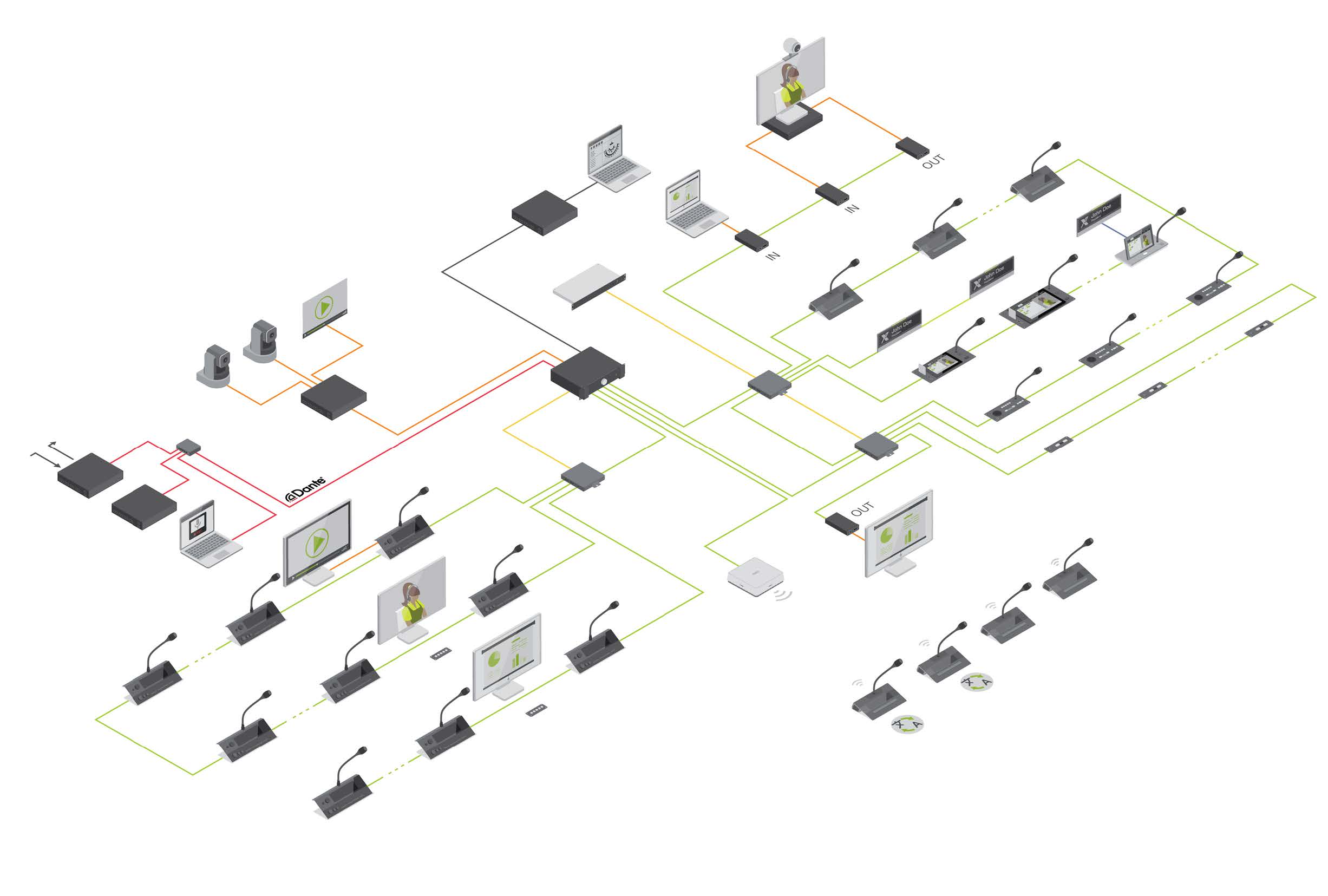
This manual focuses exclusively on the physical installation and setup of Plixus devices, including:
- Cabling and network topology
- Powering and connecting central units and discussion devices
- System architecture guidelines
- Hardware-related best practices
The Installation Manual applies to Plixus systems used in combination with either Confero or CoCon meeting management software.
🖥️ Configuration Manual (Plixus Web Server)
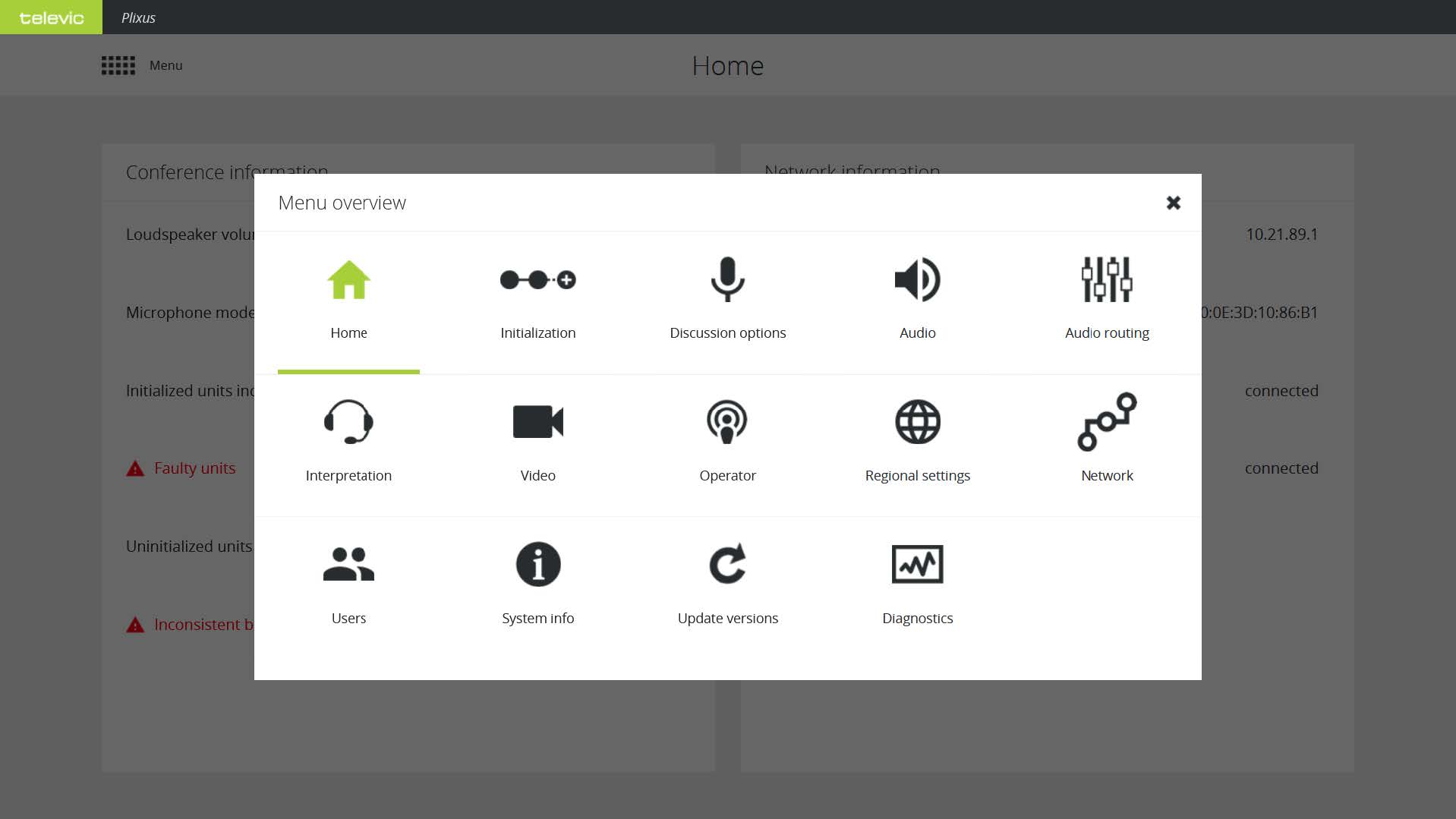
This manual covers system configuration via the embedded Plixus web server, including:
- Network settings,
- Audio routing and system parameters,
- User and seat configuration,
- Diagnostics,
- And more…
This Configuration Manual is specifically intended for systems operating in combination with CoCon.
Why This Change?
By separating installation and configuration into two manuals, we make it easier for you to quickly find the information you need — whether you’re installing hardware on-site or configuring the system in a meeting environment.
🚀 Faster navigation and reduced complexity – Smaller, more focused manuals are easier to browse, search, and reference. Go directly to the relevant manual for your task.
📂 Clearer structure – Hardware setup and software configuration are now distinctly organized.
👥 Improved usability for different roles – Installers and IT/configuration specialists can use the documentation most relevant to them.
🚑 Faster troubleshooting – When diagnosing issues, you can immediately consult the relevant manual — installation or configuration.
This update is part of our ongoing effort to make working with Plixus systems more efficient and intuitive for technical professionals.
If you have questions or feedback regarding the updated documentation, please contact your Televic support representative.
Subscribe to Updates
Latest News
Categories
Archives